Where they find you
Search, browse and referrals, by country.
Your keywords, right beside them.
AppWhy maps how people find your app,
use it and pay.
See where they drop off, and why.
For solo developers, growing teams,
and every portfolio in between.
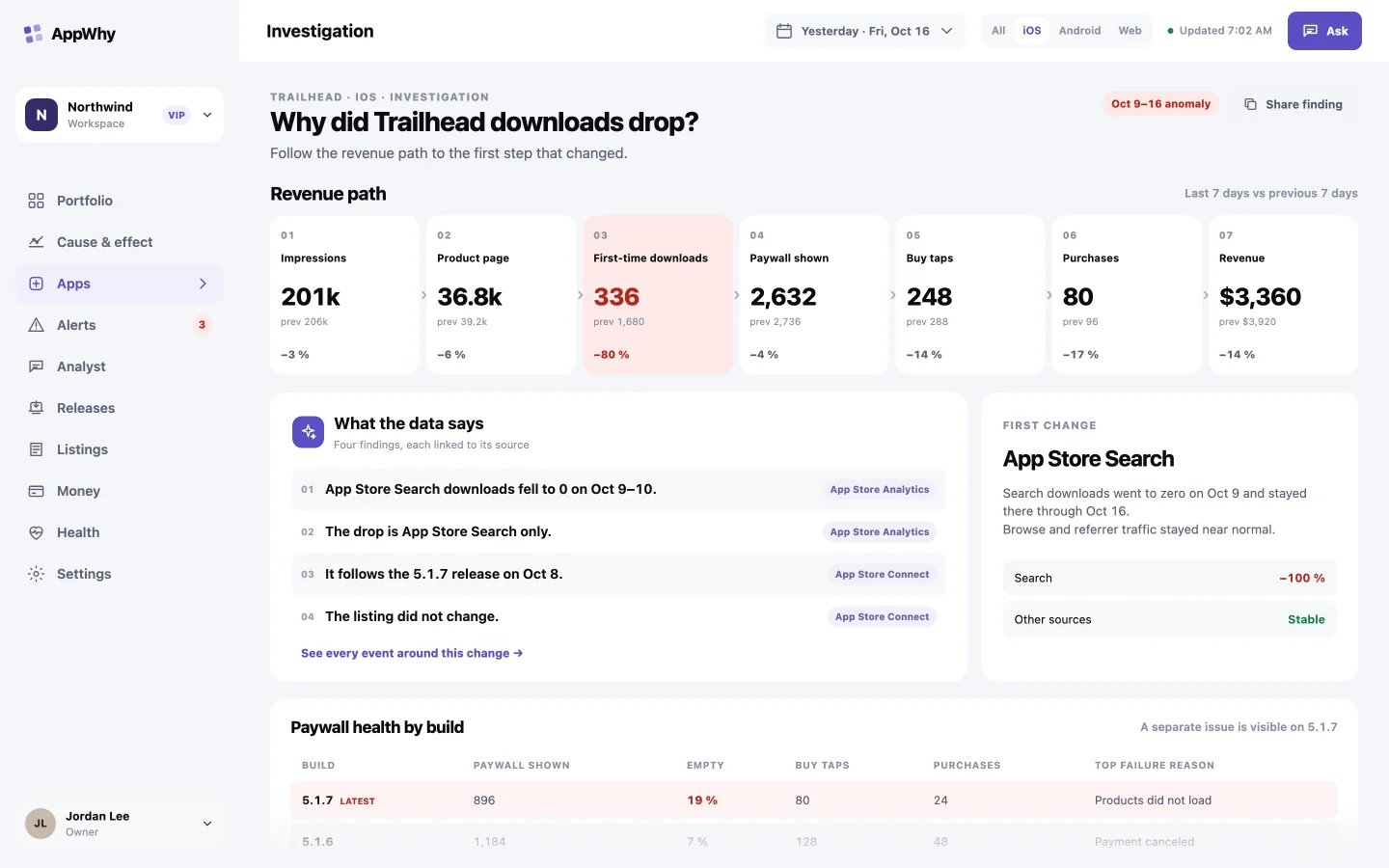
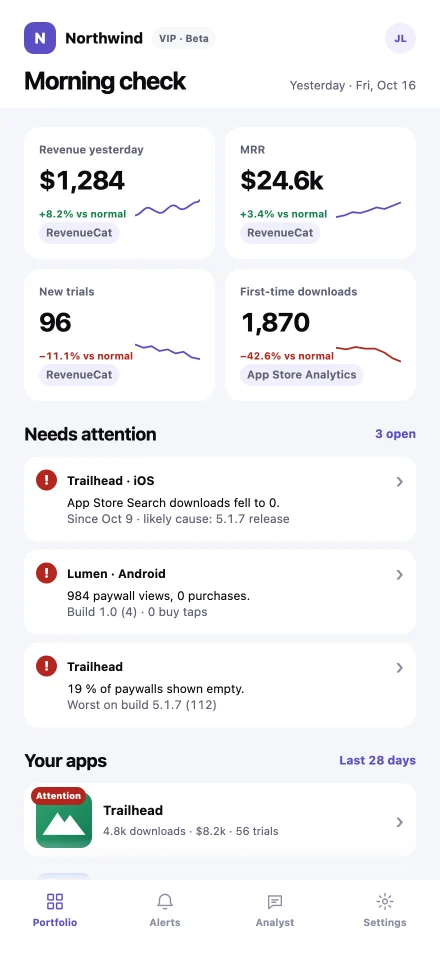
Sample studio and data,
on screens from the AppWhy beta.
Every step from first impression
to first payment, counted.
The weakest step is flagged,
with its likely cause.
Last 28 days · sample data
Store, usage and revenue signals,
joined by app, day and platform.
See each step, and where people leave.
Search, browse and referrals, by country.
Your keywords, right beside them.
Sessions, active devices
and the events you already track.
| Build | Top failure | Share |
|---|---|---|
| 1.0 (4) | Products did not load | 41 % |
| 1.0 (3) | Payment canceled | 4 % |
| 0.9 (12) | Payment canceled | 3 % |
Paywall views, trials and purchases,
and the reason each one failed.
Every event around a change,
lined up and weighed.
What is ruled out, how sure it is,
and what would confirm it.
Trailhead · iOS · Sep 1 – Oct 16 · sample data
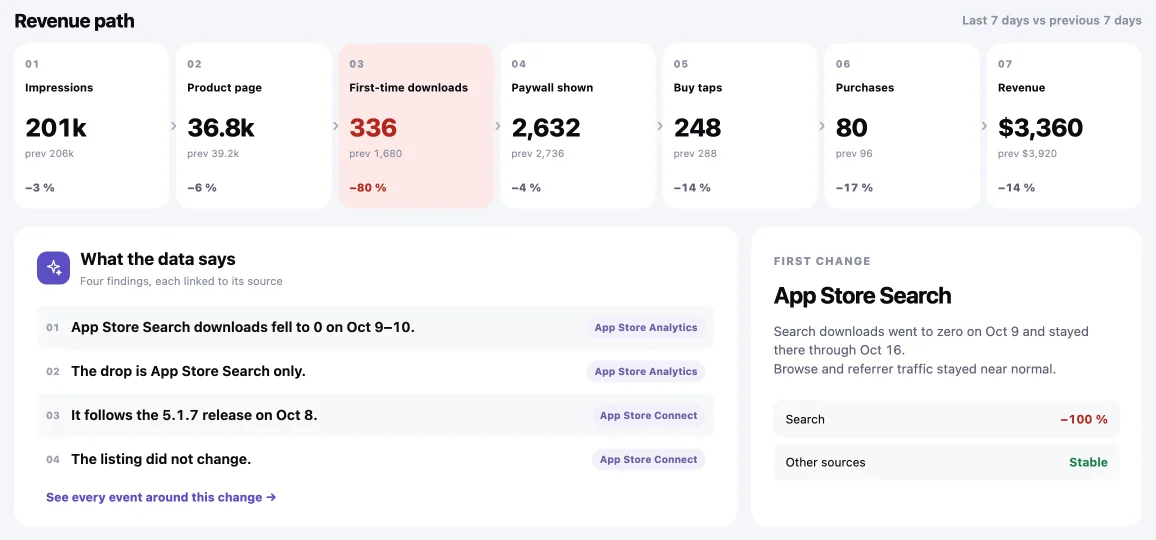
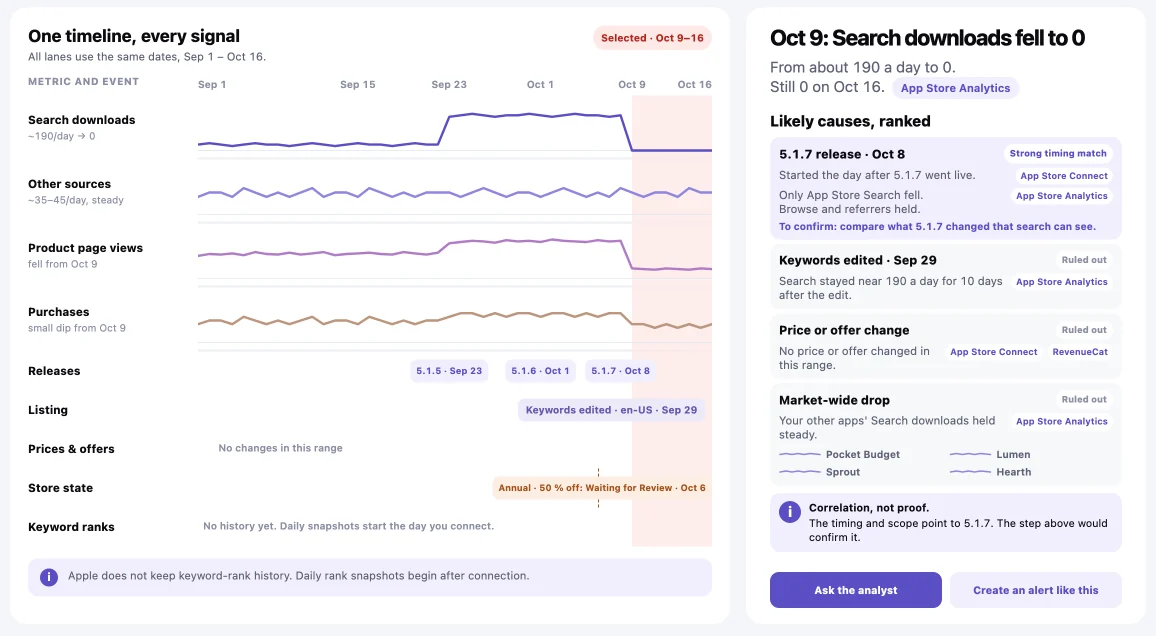
Started the day after 5.1.7 went live.
Only App Store Search fell.
Browse and referrers held.
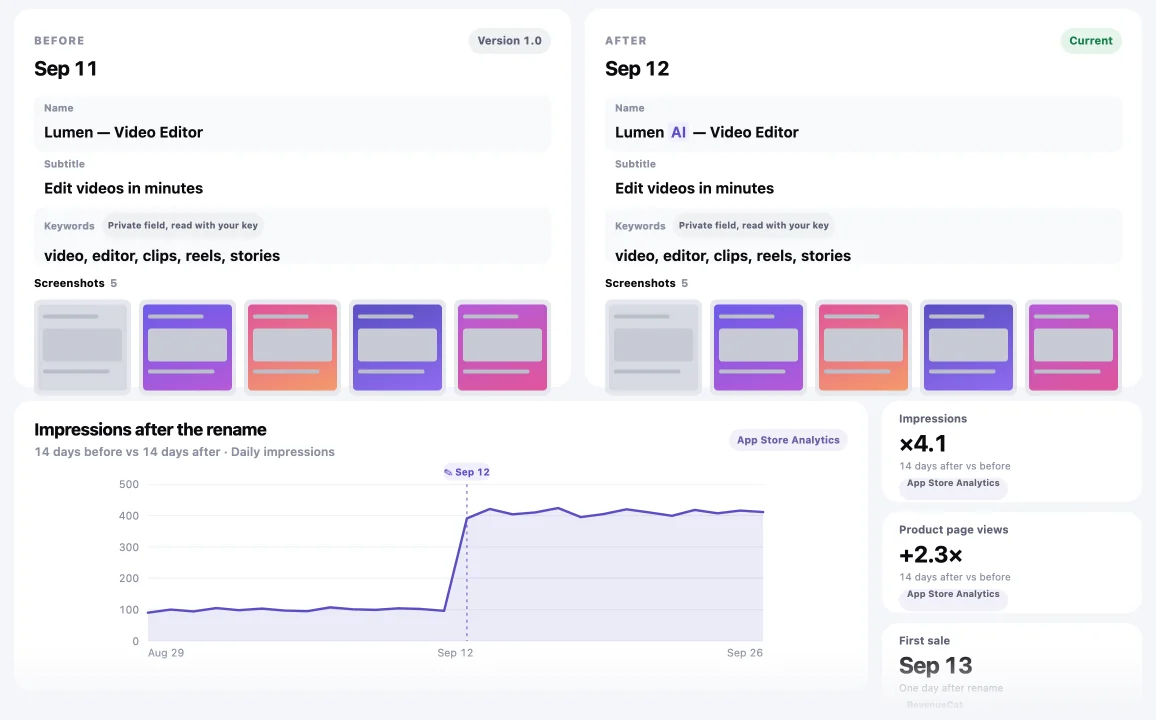
Search stayed near 190 a day
for 10 days after the edit.
No price or offer changed in this range.
RevenueCatYour other apps' Search downloads held steady.
App Store AnalyticsImpressions to revenue, week over week.
The first step that moved is highlighted.
Name, subtitle and keywords, per locale.
The impact sits right beside the change.
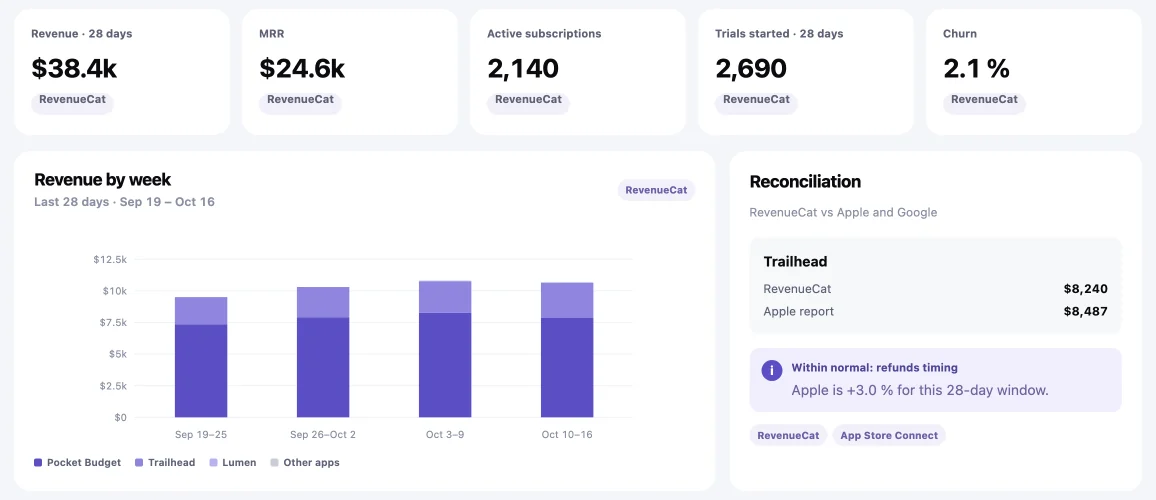
Revenue, MRR, subscriptions, trials and churn.
RevenueCat checked against Apple's report.
Metrics and events share the same dates.
The likely causes are ranked beside them.
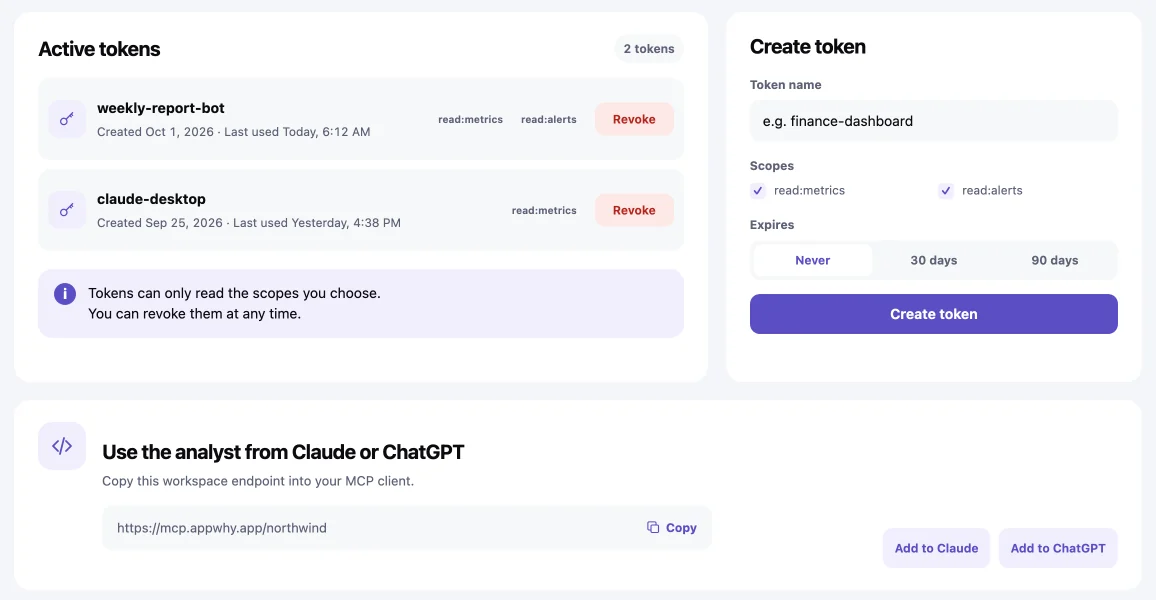
Named tokens with read-only scopes.
Revoke any of them at any time.
AppWhy reads them, read-only,
and never writes back.
You can revoke access at any time.
 App Store Connect
 Google Play
 RevenueCat
 Mixpanel
 PostHog
 AdMob
AdMob Paddle
«Is anything wrong?» in ten seconds.
No analytics SDK required.
Every app in one morning check.
Roles for every teammate.
Switch between client workspaces.
Invite each client to a read-only view.
AppWhy is growth analytics for mobile apps. It maps the whole journey: how people find your app, how they use it, and why they pay or don't.
When a number moves, it shows what changed, where in the journey, and the likely cause.
Yes. With PostHog connected, it counts paywall views, empty paywalls, buy taps and failed purchases per build and platform.
A paywall that breaks shows up the next morning, with the build that started it.
Yes: App Store Search, Browse, web and app referrers, by country, next to the keywords in your listing.
Listing edits sit on the same timeline, so you can see whether a change worked.
Today: App Store Connect, RevenueCat, PostHog and App Store ratings.
Next: Google Play, Mixpanel, AdMob and Paddle.
No. Every connection is read-only, and AppWhy never changes anything in your consoles.
Apple's one-time Admin step only starts Apple's analytics reports; that key is never stored.
App Analytics hides small numbers to protect privacy, so small apps and new countries often show nothing.
AppWhy also reads Apple's Sales and Trends reports, which count every download and sale, on the same timeline.
No, it works with RevenueCat. Keep RevenueCat for purchases and subscriptions.
AppWhy puts its numbers into the whole funnel, from store page to renewal, so you can see why they moved.
Yes. AppWhy has a remote MCP server and a REST API.
Tokens are named, read-only and scoped, and you can revoke any of them at any time.
In the EU: AppWhy's database runs in Stockholm, Sweden, and keys are encrypted in Supabase Vault.
You can export everything or delete your workspace at any time.
Join the beta and connect your first app
in minutes.